QuickBooks Desktop is not disappearing for firms that rely on its advanced reporting, inventory control, and Enterprise capabilities. While Intuit has shifted more marketing toward QuickBooks Online, millions of businesses still depend on Desktop for stability and complex workflows. Hosting gives you long term flexibility by moving your existing Desktop setup into a secure cloud environment. You get all the benefits of Desktop without dealing with local servers or hardware issues.
Updated Dec 18, 2025
The Best Hosting Services for QuickBooks Desktop: A Practical Buyer’s Guide

Most guides on “the best QuickBooks Desktop hosting services” feel identical.
They recycle the same names, list the same generic features, and skip the one thing that actually matters to accounting firms: which provider can keep QuickBooks running fast, secure, and stable when your team is closing books under pressure.
That gap is exactly why this guide exists. Instead of another superficial ranking, this article breaks down what makes a hosting provider reliable in the real world.
You get a clear evaluation framework, a comparison of providers that consistently meet high performance benchmarks, and a straightforward explanation of how QuickBooks Desktop hosting actually works.
Every section is written to help you make a confident decision, whether you run a two person bookkeeping practice or a growing mid market accounting firm with heavy workflows and multiple add ons.
Before we compare the best hosting services for QuickBooks Desktop, let us set the context: QuickBooks Desktop remains the preferred choice for many firms that need advanced reporting, Enterprise grade controls, and consistent performance with large company files.
Hosting it in the cloud gives you remote access, collaboration, security, and managed IT without forcing a switch to QuickBooks Online.
This article will walk you through:
- What QuickBooks Desktop hosting is and how it works
- The evaluation criteria that actually matter
- A shortlist of hosting providers that meet real compliance and performance standards, with Verito leading the list
- Practical scenarios that match your specific firm size and requirements
- Steps to migrate QuickBooks Desktop to the cloud without disruption
- A detailed FAQ that answers the most common questions firms ask
If you want a clean, vendor neutral breakdown of the best QuickBooks Desktop hosting services, you are in the right place.
Let us start by understanding what QuickBooks Desktop hosting delivers and why so many firms are moving to it.
What Is QuickBooks Desktop Hosting and Why Firms Use It
QuickBooks Desktop hosting means your existing QuickBooks Desktop software and company files run on secure remote servers inside a professional data center.
Your team logs in through a virtual desktop or browser. The hosting provider manages uptime, backups, security, updates, and infrastructure. You keep the same familiar QuickBooks Desktop interface, but you remove all the headaches of local installations, broken connections, and hardware issues.
For accounting and tax firms, the shift to hosted QuickBooks Desktop is driven by three factors:
- Performance
- Access
- Security
Local installations often slow down as company files grow or multiple users connect from different locations. Hosting eliminates this bottleneck by running QuickBooks on optimized servers that are designed to handle heavy accounting workloads. Teams can collaborate in the same company file without waiting for someone to close their session or email backup files across offices.
Remote access is another major advantage. Firms no longer need a VPN or office bound servers. Staff can work from home, from client sites, or across multiple locations with the same speed and reliability. Everything feels like using QuickBooks Desktop on a powerful office machine, except it runs in the cloud.
Security is the deal breaker for most firms. Sensitive financial information should not sit on personal laptops or outdated local servers. When QuickBooks is hosted by an expert provider, data is encrypted, monitored, and backed up in controlled environments with strict compliance standards. This protects firms from data loss, ransomware, hardware failures, and accidental file corruption.
The value becomes even clearer for firms that use multiple add ons like SmartVault, Bill.com, Avalara, or Method CRM. These tools run smoothly when hosted together with QuickBooks Desktop in a controlled environment that handles compatibility and resource allocation for you. Hosting also removes the burden on small IT teams that do not have the bandwidth to manage servers, patch systems, or troubleshoot QuickBooks errors across user machines.
In short, QuickBooks Desktop hosting combines the power of Desktop with the flexibility of the cloud. You keep the advanced reporting, Enterprise features, and file control that QuickBooks Desktop is known for while gaining the performance, security, and collaboration benefits that modern accounting firms now consider essential.
How QuickBooks Desktop Hosting Works Behind the Scenes
To choose the best QuickBooks Desktop hosting service, you need to understand how the technology functions in real use. Most firms only see the login screen and the virtual desktop, but the reliability of a hosting provider depends on everything happening underneath that surface.
At its core, QuickBooks Desktop hosting replaces your local machine or office server with a secure cloud environment. Your QuickBooks license is installed on a dedicated or shared server in a data center. Each server is optimized for accounting workloads, high IOPS, and multi-user access to large company files. You connect to this environment through Remote Desktop Protocol or a virtual desktop interface that mirrors the experience of running QuickBooks directly on your computer.
When a user logs in, the hosting platform creates an isolated session for them. This session streams the QuickBooks interface to their screen in real time while all the heavy lifting happens on the cloud server. Every action they take, from generating reports to posting journal entries, is processed by the remote server instead of their local device. This is why hosted QuickBooks Desktop often feels faster than working on an outdated office PC.
Behind the scenes, the hosting provider manages several critical layers:
Infrastructure management
The provider maintains server hardware, virtualization, storage, firmware, and networking. They are responsible for keeping QuickBooks stable, responsive, and accessible even during heavy usage periods or month-end close cycles.
Backup and disaster recovery
Reliable hosts run automated backups multiple times per day and store them in secure, redundant environments. If a file is corrupted or a user deletes something by mistake, the provider can restore the data quickly.
Firms that have experienced local file corruption instantly see the value of professional backup systems.
Security and access control
A trusted provider protects QuickBooks data with encryption, firewalls, isolated networks, intrusion monitoring, and multi factor authentication. User permissions are enforced at both the Windows level and the QuickBooks level. This ensures that staff only access the tools and company files they are approved for.
Application management
Hosted environments allow firms to run QuickBooks Desktop and all compatible add ons on the same infrastructure. Providers handle installations, updates, performance tuning, compatibility checks, and patching. This removes the need to coordinate IT changes across every user’s laptop or workstation.
Compliance handling
Many accounting firms need environments that align with SOC 2, HIPAA, PCI, IRS, or FTC expectations. High level hosting providers design their infrastructure around these controls so firms do not need to build them internally.
Support and monitoring
Qualified support teams monitor performance, uptime, and sessions at all times. If something goes wrong, they troubleshoot server-side rather than leaving your team guessing whether QuickBooks is slow because of hardware, network, or software issues.
The end result is simple: Your team interacts with QuickBooks exactly as they always have, but the software is running in a controlled, professionally managed cloud environment with higher performance, better security, and fewer disruptions than most small firms can achieve on their own.
How to Evaluate the Best QuickBooks Desktop Hosting Services
Most firms choose a QuickBooks hosting provider by skimming a “Top 10” list and hoping the rankings are accurate. That approach fails when your team is closing books, handling payroll, or reconciling accounts and the hosting platform slows down or goes offline.
The right way to choose a provider is to evaluate them against criteria that directly affect performance, security, and reliability.
Use this framework to compare every provider on your shortlist. A strong hosting service must excel in all these categories, not just a couple of them:
1. Uptime, Speed, and Performance
Performance determines whether your accounting team can work without frustration. High quality providers deliver:
- Near perfect uptime: Look for providers that consistently achieve above 99.99 percent uptime or offer a verifiable commitment to keeping QuickBooks available at all business hours. Even short outages can derail payroll days or tax deadlines.
- Fast load times with large files: QuickBooks Desktop can slow down when the company file grows beyond a few hundred megabytes. The best hosting platforms run on high performance servers with fast SSD storage, strong IOPS, and optimized virtualization so even heavy files open quickly.
- Multi-user stability: If multiple staff access the same company file, the platform must handle concurrent sessions without freezing, kicking users out, or generating sync issues. Test environments should demonstrate smooth switching between tasks, modules, and reports.
2. Security and Compliance Protection
Accounting data is extremely sensitive, so security cannot be an afterthought. A top tier QuickBooks hosting provider should meet high standards across the entire stack.
- Encryption on every layer: Both data in transit and data stored on servers should be encrypted. Without this, your firm is exposed to avoidable risk.
- Access controls and MFA: Remote access must be protected by strong authentication. Multi-factor authentication is a basic requirement for any modern accounting workflow.
- Network isolation and proactive monitoring: Quality providers isolate client data, prevent cross-tenant exposure, and monitor for suspicious activity or intrusion attempts.
- Compliance frameworks: A hosting environment for QuickBooks Desktop should be aligned with SOC 2, HIPAA, PCI, IRS Publication 1075 standards, and FTC safeguard expectations for financial data. Even if your firm does not require all of them, compliance maturity indicates operational strength.
3. Support Quality and Responsiveness
When QuickBooks hosting has issues, you do not want to rely on email forms or wait hours for help.
Look for providers that offer:
- Real-time support through phone or live chat: Not outsourced ticket-only support that responds slowly. Good support teams understand QuickBooks Desktop, Windows server environments, and accounting add-ons.
- Guided migration and onboarding: Your first interaction with a hosting provider is the migration of your QuickBooks files. Top providers help with setup, testing, add-on installation, and environment optimization before your team moves live.
- Problem resolution that goes beyond surface level: Support should be able to diagnose server issues, file corruption, printing problems, add-on glitches, and user profile conflicts.
4. Backup Strategy and Disaster Recovery
A single corrupted company file or failed local server can cost a firm days of work. Hosting should completely eliminate that risk.
The strongest providers offer:
- Automated daily or hourly backups: Stored in multiple secure locations.
- Clear retention windows: This allows you to restore files from different points in time, not just the most recent version.
- Documented disaster recovery plans: With defined RPO (Recovery Point Objective) and RTO (Recovery Time Objective). Firms should know exactly how quickly data can be restored in an emergency.
5. Architecture, Scalability, and Add On Compatibility
QuickBooks Desktop rarely works alone. Most firms rely on connected tools, and the hosting environment must support these without breaking workflows.
Look for:
- Dedicated or isolated servers for high performance: Shared hosting may work for solo bookkeepers, but firms with multiple staff, large files, and heavy reporting need dedicated infrastructure.
- Smooth add-on integration: Whether you use SmartVault, Bill.com, Fishbowl, Avalara, Transaction Pro, or other tools, the hosting provider must support their installation and maintenance.
- Ability to scale users easily: Growing firms should not experience performance issues as teams expand.
- Device and OS flexibility: The environment should work on Windows, Mac, tablets, and mobile through secure remote access.
6. Transparent Pricing and No Hidden Fees
QuickBooks hosting pricing often looks simple at first glance, but many providers add fees for onboarding, backups, storage, add-ons, or additional users.
A reliable provider should offer:
- Clear per user pricing
- No surprise infrastructure fees
- Clear documentation of what is included
- Straightforward upgrade paths
If you cannot understand the pricing during the evaluation stage, expect billing issues later.
7. Reputation, Specialization, and Focus
Finally, evaluate how deeply the provider specializes in accounting firms and QuickBooks Desktop environments.
Ask these questions:
- Does the provider work primarily with accounting and tax firms
- Do they have a strong track record with QuickBooks Desktop, including Enterprise
- Does their support team understand accounting workflows
- Do they publish detailed benchmarks, performance data, or security information
- Do they operate their own infrastructure rather than reselling generic hosting
Specialist providers outperform general hosting companies because their entire ecosystem is built for accounting environments. This is where firms like Verito stand out consistently in reviews, benchmarks, and real world performance tests.
The Quick Selection Checklist
Use this checklist to compare providers quickly:
A hosting provider is worth considering only if it meets all of the following:
- Near perfect uptime and fast performance with large company files
- Strong security controls with encryption and multi-factor authentication
- SOC 2 or equivalent compliance alignment
- Real time support that understands QuickBooks Desktop
- Automated backups with a clear retention policy
- Smooth add-on compatibility
- Transparent pricing with no surprise fees
- A proven focus on accounting and tax firms
If a provider fails on any of these, remove them from your shortlist.
The Best Hosting Services for QuickBooks Desktop (Shortlist and Comparison)
Not all QuickBooks Desktop hosting providers are built the same. Some operate on generic cloud servers with minimal optimization while others invest heavily in performance, isolation, compliance, and support specifically for accounting workflows. The following comparison table sets the stage before diving into detailed profiles.
This shortlist focuses on providers that consistently meet the performance, security, and support thresholds outlined in the evaluation framework.
Comparison Overview
| Provider | Ideal For | Uptime Strength | Compliance Maturity | Server Type | Pricing Notes |
| Verito | Accounting and tax firms that need dedicated resources, top tier security, and high performance | 100% (perfect reliability) | Strong alignment with SOC 2, IRS and FTC expectations | Dedicated and isolated servers | Transparent per user structure |
| Ace Cloud Hosting | Small to mid sized firms that want flexible plans and guided onboarding | Strong | Good compliance coverage | Shared and dedicated options | Variable, add on dependent |
| Summit Hosting | Firms that prioritize dedicated environments and larger QuickBooks Desktop files | Strong | Emphasis on security controls | Dedicated servers | Higher on the price spectrum |
| Right Networks | Firms that prefer authorized hosting with a broad app ecosystem | Good | Known for structured compliance | Shared and dedicated environments | Moderate to higher ranges |
| QuickBooks Enterprise Hosts (Authorized Partners) | Firms that want familiarity and close alignment with Intuit standards | Good | Authorized hosting program standards | Mixed | Varies by partner |
| Smaller niche hosts | Solo bookkeepers or very small teams with limited budgets | Mixed | Basic | Often shared | Lower priced but inconsistent |
This comparison shows why most growing accounting firms gravitate toward dedicated resource providers rather than generic cloud vendors. The profiles below help you understand what each provider brings to the table.
Detailed Provider Profiles
1. Verito
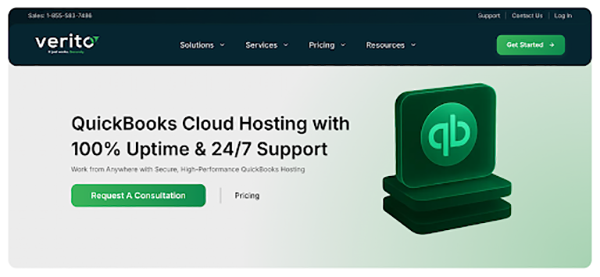
Verito stands out for one reason. It consistently delivers the type of hosting environment that accounting firms expect when they say they want reliability. Many providers talk about performance, but Verito builds its infrastructure for firms that cannot afford downtime, file corruption, or support delays during peak workloads.
Verito hosts QuickBooks Desktop on dedicated servers rather than low-powered shared environments. This removes performance throttling, cross-tenant limitations, and unpredictable slowdowns. Accounting teams experience smooth multi-user access, fast report generation, and stable file handling even as company files grow.
Security is one of Verito’s strongest differentiators. The environment uses bank grade safeguards, strict access controls, encrypted data paths, and infrastructure designed to align with SOC 2, IRS, and FTC expectations. This gives firms confidence that sensitive accounting data is protected at all times.
Support quality is equally important. Verito maintains real-time support that understands QuickBooks Desktop, add-on ecosystems, Windows server behavior, and the typical problems firms encounter during tax season or during month-end filing.
Verito is the best fit for firms that want consistent performance, accounting focused compliance, strong add-on compatibility, and a private cloud environment rather than a crowded shared server.
2. Ace Cloud Hosting
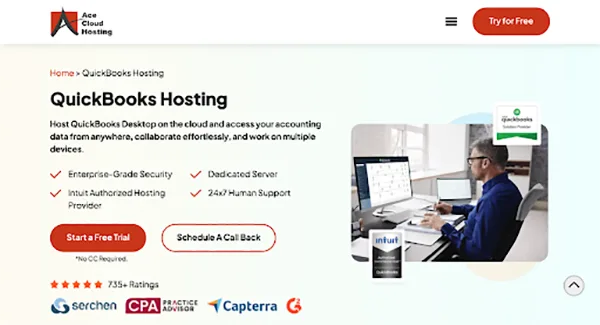
Ace Cloud Hosting is one of the more flexible QuickBooks Desktop hosting providers, offering a mix of shared and dedicated environments. It is a popular choice among small and mid-sized firms that want responsive onboarding, support availability, and compatible hosting for a wide range of accounting add-ons.
Performance is generally strong for small and medium workloads. The platform supports collaborative access, and file handling is smooth for typical usage scenarios. Firms with heavier QuickBooks Enterprise setups may benefit more from dedicated setups, which Ace also provides.
Ace Cloud Hosting is a solid fit if you value flexibility and guided setup without the higher pricing associated with fully dedicated infrastructures.
3. Summit Hosting
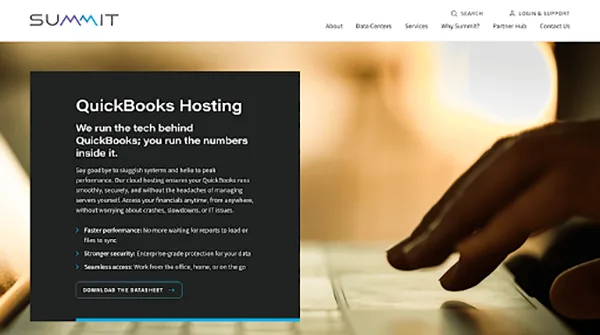
Summit Hosting focuses heavily on dedicated server environments and caters to firms that often work with larger company files or enterprise level QuickBooks configurations.
The performance strength comes from server isolation. This ensures that your QuickBooks environment does not slow down because another firm on the same server is running heavy processes. Summit also positions itself around security, access controls, and structured compliance features.
The platform is suitable for mid-sized firms and businesses that want dedicated resources but also need onboarding support and compatibility with accounting add-ons.
4. Right Networks

Right Networks is another well-known provider that offers QuickBooks Desktop hosting with a focus on structured compliance frameworks and user management. It is part of the authorized hosting ecosystem associated with Intuit aligned standards.
The environment supports multiple accounting applications and offers strong centralization for firms that handle additional workflows beyond QuickBooks. For teams that want a familiar authorized hosting ecosystem, Right Networks can be a credible contender.
Performance is solid across shared and dedicated options, although the experience tends to be smoother on dedicated setups for larger teams.
5. Authorized QuickBooks Desktop Hosting Partners
These providers are part of Intuit’s authorized hosting network and follow the technical standards defined by the program. Authorized partners typically support QuickBooks Pro, Premier, and Enterprise and are vetted for baseline infrastructure requirements.
These environments work well for firms that prioritize vetted alignment with Intuit hosting standards. However, authorized hosting does not automatically guarantee top tier performance. Firms with larger teams or heavy reporting needs may still prefer a dedicated approach like Verito.
6. Smaller Niche Hosting Providers
Some niche hosting services cater to solo bookkeepers or very small accounting teams. These providers often offer low cost shared hosting but come with limitations in performance consistency, add-on support, and compliance maturity. They can be useful for tight budgets or basic workflows but are not ideal for growing firms.
Why Verito Leads the List
The hosting market is crowded, but the providers at the top separate themselves with predictable reliability, stronger compliance controls, and support teams that understand accounting workflows at a deeper level.
Verito appears at the number one position because it combines:
- Dedicated servers for superior multi-user performance.
- Strong alignment with security and compliance expectations for financial data.
- Real-time support that understands accounting software and add-ons.
- Reliable uptime that supports firms during high pressure periods.
- Seamless infrastructure for QuickBooks Desktop, Enterprise, and connected tools
For firms that want a long term, high confidence hosting environment, Verito consistently emerges as the strongest option.
Which QuickBooks Desktop Hosting Provider Is Best for You: A Scenario Based Guide for Real Accounting Workflows
Choosing the best QuickBooks Desktop hosting service depends heavily on your team size, the complexity of your workflows, the number of add-ons you rely on, and the level of security your industry requires. The following scenarios reflect how real accounting and finance teams work.
Scenario 1: Solo Bookkeeper or Two-Person Accounting Team
Primary need: Affordable hosting with reliable access and basic support
Common searches:
- “best QuickBooks Desktop hosting for small firms”
- “affordable QuickBooks hosting for Pro and Premier”
- “QuickBooks cloud hosting for solo bookkeepers”
If you run a small practice with one or two users and work mostly on smaller QuickBooks Pro or Premier files, your priority is simplicity and stability. A shared hosting environment can often meet your needs if performance demands are modest.
Recommended approach: Look for providers that offer basic security, automatic backups, and predictable per-user pricing. Smaller niche hosts and flexible providers like Ace Cloud Hosting can work well at this scale.
Not recommended in this scenario: Dedicated servers or premium enterprise-grade setups. You will not feel the difference because your workloads are light.
Scenario 2: Five to Ten-Person Accounting Firm With Regular Multi-User Sessions
Primary need: Stable performance with multiple concurrent users
Common searches:
- “best QuickBooks Desktop hosting for multi-user access”
- “best QuickBooks hosting for mid-sized accounting firms”
This is the stage where performance gaps between hosting providers become clear. Once teams work simultaneously on the same company file, shared environments often show slowdowns during peak hours.
Recommended approach: A provider that offers dedicated or isolated infrastructure will give you smoother performance and fewer interruptions. Firms in this range typically start using add-ons like SmartVault, Bill.com, or Transaction Pro that require more consistent server resources.
Best fit: Verito or Summit Hosting, because both prioritize strong performance and resource isolation.
Scenario 3: Ten to Fifteen Person CPA Firm With Heavy Workflows and Add Ons
Primary need: Dedicated servers, compliance alignment, and rapid support
Common searches:
- “best QuickBooks Enterprise hosting”
- “QuickBooks Desktop hosting for large company files”
- “secure QuickBooks hosting for CPA firms”
Once a team crosses the ten user mark and works with large company files or Enterprise edition, shared infrastructure is no longer viable. Slow reports, freezing sessions, and delayed file syncing create real workflow bottlenecks.
This is also the scale where compliance matters. Firms handle sensitive tax and financial data that must be protected by strict access controls, encryption, and secure network isolation.
Recommended approach: A provider that specializes in accounting firms and offers:
- Dedicated or private cloud servers
- Strict security alignment
- Multi-user optimization
- Support teams that understand QuickBooks Enterprise and add ons
Best fit: Verito. The environment is specifically designed to handle large files, compliance expectations, and rapid support needs during peak workload periods.
Scenario 4: Mid-Market Businesses Running QuickBooks Enterprise With Integrations
Primary need: Enterprise grade performance and predictable uptime
Common searches:
- QuickBooks Enterprise cloud hosting
- High performance QuickBooks Desktop hosting
- QuickBooks hosting for mid sized businesses
Mid-market companies often run QuickBooks Enterprise with multiple add-ons, heavy reporting, large inventory files, multiple locations, and external integrations. Any hint of latency directly affects business operations.
Recommended approach: A high performance dedicated environment that delivers:
- Consistent speed with heavy workloads
- Smooth application compatibility
- Near perfect uptime
- Advanced monitoring and troubleshooting
- Scalable infrastructure for growth
Best fit: Verito or Summit Hosting. Both offer private cloud environments and performance focused architectures, but Verito tends to stand out for firms that need compliance strength and predictable support availability.
Scenario 5: Firms That Need Intuit Alignment and a Familiar Authorized Ecosystem
Primary need: Authorized hosting and strong adherence to Intuit’s program standards
Common searches:
- “Intuit authorized QuickBooks hosting”
- “best Intuit approved QuickBooks hosting providers”
Some firms prefer providers within the authorized hosting ecosystem. This ensures alignment with the technical requirements defined by Intuit and provides an additional layer of familiarity.
Recommended approach: Look for authorized QuickBooks Desktop hosting partners with strong user management and stable infrastructure. This works best for firms that use standard add-ons and do not require heavy customization.
Best fit: Right Networks or authorized partners. However, performance focused teams may still gravitate toward dedicated providers like Verito because real world speed and uptime often matter more than authorization labels.
Scenario 6: Firms That Handle High Sensitivity Financial or Tax Data
Primary need: Strongest security, compliance alignment, and verifiable protection
Common searches:
- “secure QuickBooks hosting”
- “SOC 2 QuickBooks hosting”
- “HIPAA or IRS compliant QuickBooks Desktop hosting”
Accounting firms that handle sensitive tax documents, payroll data, financial statements, or compliance heavy workloads cannot rely on basic security. They need a controlled environment built around strict safeguards and advanced protection layers.
Recommended approach: A dedicated hosting environment with:
- Strong encryption
- Network isolation
- Multi-factor authentication
- SOC 2 aligned controls
- Documented disaster recovery plans
- Consistent monitoring and logging
Best fit: Verito. This scenario aligns directly with the strengths of Verito’s private cloud servers, bank grade controls, and high compliance maturity.
The Core Insight That Guides All Scenarios
If you manage heavy workflows, multiple users, add-ons, Enterprise edition, or compliance sensitive data, you will benefit significantly from a dedicated hosting environment rather than a shared setup.
For teams with higher stakes accounting operations, Verito consistently delivers the stability, performance, and protection that most firms only realize they need after experiencing problems with generic hosting providers.
How to Move QuickBooks Desktop to the Cloud Safely: A Step-by-Step Migration Guide for Accounting Teams
Migrating QuickBooks Desktop to a hosted environment does not need to be complicated, but it must be done correctly. Accounting files are sensitive, multi-user workflows can break if the setup is rushed, and add-ons require proper configuration. The following process is designed so that any firm can move to the cloud without disruption or downtime.
Step 1: Audit Your Current QuickBooks Setup
Before choosing a hosting provider, firms need a clear picture of what they are migrating. This avoids surprises during setup and ensures the hosting environment is configured correctly.
Create a quick audit of:
- QuickBooks Desktop versions in use
- Pro, Premier, or Enterprise edition
- Size of your company files
- Number of users and permission levels
- Add-ons such as SmartVault, Bill.com, Transaction Pro, Avalara, Method CRM, Fishbowl, and more
- Third-party tools that integrate with QuickBooks
- Printers, scanners, PDF tools, and other local utilities that staff rely on
A proper audit ensures the new hosting environment matches your existing workflows rather than forcing workarounds later.
Step 2: Shortlist Hosting Providers Using the Evaluation Framework
Now that you know your operational requirements, use the evaluation criteria from earlier:
- Near perfect uptime
- Strong security and encryption
- Compliance alignment (SOC 2, HIPAA, PCI, IRS, FTC)
- Automated backups and retention
- Dedicated or isolated servers for multi user performance
- Real-time support
- Transparent pricing and predictable billing
- Add-on compatibility
This eliminates weak or generic hosting options and surfaces the providers that can handle your workload. Most firms quickly gravitate toward dedicated environments at this stage because they offer stronger performance and fewer support issues.
Verito, for example, aligns closely with all evaluation benchmarks and is the top choice for firms with compliance sensitive data or heavy QuickBooks usage.
Step 3: Set Up a Test or Pilot Environment
A good hosting provider will help you create a test environment before you migrate fully. This allows you to validate performance and compatibility before committing your entire workflow.
During the test phase, check:
- How quickly the company file loads
- How smooth multi-user access feels
- Whether add-ons install and function correctly
- If printing and file exporting work as expected
- Whether custom tools or integrations behave normally
- Latency or lag during busy hours
A pilot ensures that the hosting provider meets your real world demands. If you experience frequent timeouts, slow report generation, or add-on issues during testing, treat it as a red flag.
Step 4: Plan the Cutover and Migration Schedule
Once the test environment passes your quality checks, schedule the full migration. Most firms choose to do this after business hours or over the weekend.
A proper migration should include:
• Fresh backups before moving files
This ensures data integrity and protects you from accidental corruption.
• Cleanup of old or duplicate company files
Moving unnecessary versions can lead to clutter and confusion.
• Verification of user roles and permissions
Ensure everyone has the correct access level before launch.
• Add-on installation and configuration
Install and test all add-ons in the hosted environment before the full team logs in.
• Environment hardening
Security settings, MFA, session policies, and folder permissions should be finalized before going live.
A good hosting provider will guide you through this process and assist with configuration.
Step 5: Train Your Team and Go Live
Even though hosted QuickBooks Desktop looks familiar, users may need a quick orientation for login procedures, MFA, printing workflows, and file management. A short training session avoids confusion and tickets later.
Once the team understands the basics, complete the cutover and begin using the hosted environment.
During the first week, monitor for:
- Unexpected slowdowns
- Add-on behavior
- Login or MFA issues
- Print driver or PDF export glitches
- File locking or multi-user conflicts
Most issues in the first few days are configuration related and are resolved quickly with competent support teams.
Step 6: Monitor Performance and Optimize After Migration
After the environment stabilizes, track performance during busy periods such as:
- Month-end close
- Payroll processing
- Heavy reporting days
- Tax filing deadlines
Make sure your hosting provider:
- Responds quickly to any performance concerns
- Monitors server usage and resource allocation
- Applies updates and patches without disrupting workflows
- Communicates clearly about maintenance windows
This ongoing optimization ensures long-term reliability and prevents the gradual slowdowns that many firms experience in poorly managed environments.
Conclusion: Choose a Hosting Provider That Matches Your Firm’s Real Needs
Selecting the best QuickBooks Desktop hosting service is not about choosing the provider with the flashiest homepage or the longest list of marketing claims. It is about finding a hosting environment that can handle the demands of accounting work without slowing you down or putting financial data at risk.
The right provider must deliver fast performance with large company files, strong multi-user stability, advanced security controls, reliable backups, and support teams that understand how accounting workflows actually operate. Most importantly, the hosting environment should remove the IT burden from your firm so teams can focus on reconciliations, reporting, payroll, tax preparation, and advisory work without fighting technical issues.
This guide has shown that while several hosting providers offer reliable solutions, the top choice for firms that value performance, security, compliance alignment, and predictable support is Verito. Dedicated servers, high uptime consistency, strong encryption, and accounting focused support give Verito a clear advantage for firms that need stability during peak periods.
Before you make a final decision, revisit the evaluation checklist. Shortlist providers that meet every requirement instead of settling for minimum standards. If you want to dive deeper, you can explore an independent QuickBooks hosting providers benchmark guide that outlines performance factors such as uptime, migration support, compliance, and real world speed.
QuickBooks Desktop will remain a critical tool for firms that depend on accurate reporting, robust controls, and predictable performance. Hosting it on a well-built cloud environment transforms it from a local bottleneck into a scalable, secure, and collaborative platform that supports long term growth.
In the end, the best hosting service is the one that matches your firm’s operational reality. For many accounting and tax teams that expect reliability, consistency, and protection at all times, Verito stands out as the provider that meets these expectations with precision.
Author - Shourya Kumar

Finance Writer
Table of Contents
- What Is QuickBooks Desktop Hosting and Why Firms Use It
- How QuickBooks Desktop Hosting Works Behind the Scenes
- How to Evaluate the Best QuickBooks Desktop Hosting Services
- 3. Support Quality and Responsiveness
- The Best Hosting Services for QuickBooks Desktop (Shortlist and Comparison)
- Why Verito Leads the List
- Which QuickBooks Desktop Hosting Provider Is Best for You: A Scenario Based Guide for Real Accounting Workflows
- Scenario 4: Mid-Market Businesses Running QuickBooks Enterprise With Integrations
- Scenario 5: Firms That Need Intuit Alignment and a Familiar Authorized Ecosystem
- How to Move QuickBooks Desktop to the Cloud Safely: A Step-by-Step Migration Guide for Accounting Teams
- Conclusion: Choose a Hosting Provider That Matches Your Firm’s Real Needs
Related Posts